

For the podium, the recording studio,
and the practice studio.
Stems. Click track. Visual cues. Video. The score itself. All locked to a unified transport — on the device in your hand, and on every stand.
Every screen, purpose-built.
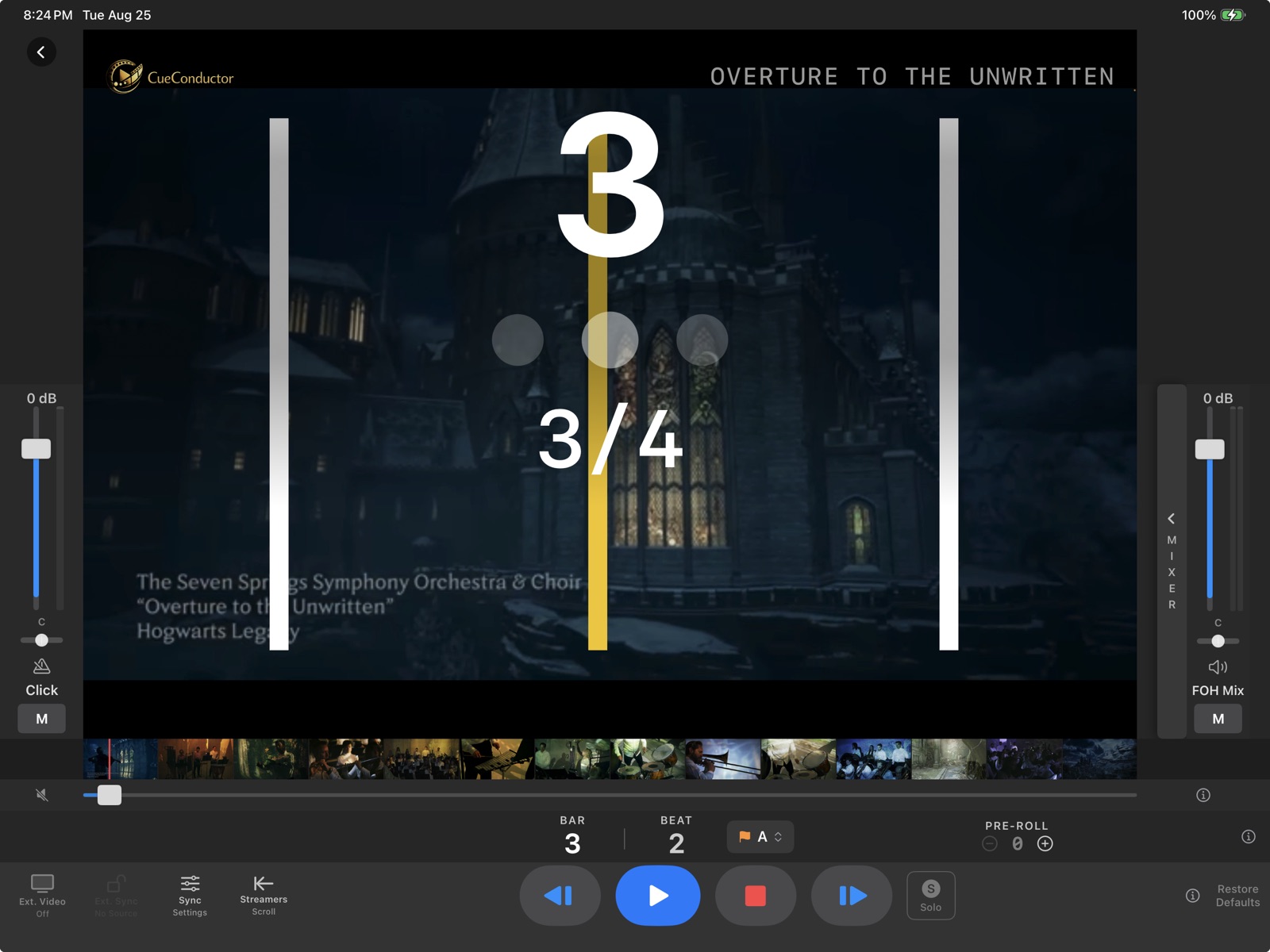
The whole picture, at a glance
Bar and beat counter, cue title, time signature, and color-coded streamers over the scoring video — with the click and FOH faders under your thumbs on either side. Everything a conductor needs, and nothing that competes for attention during a take.
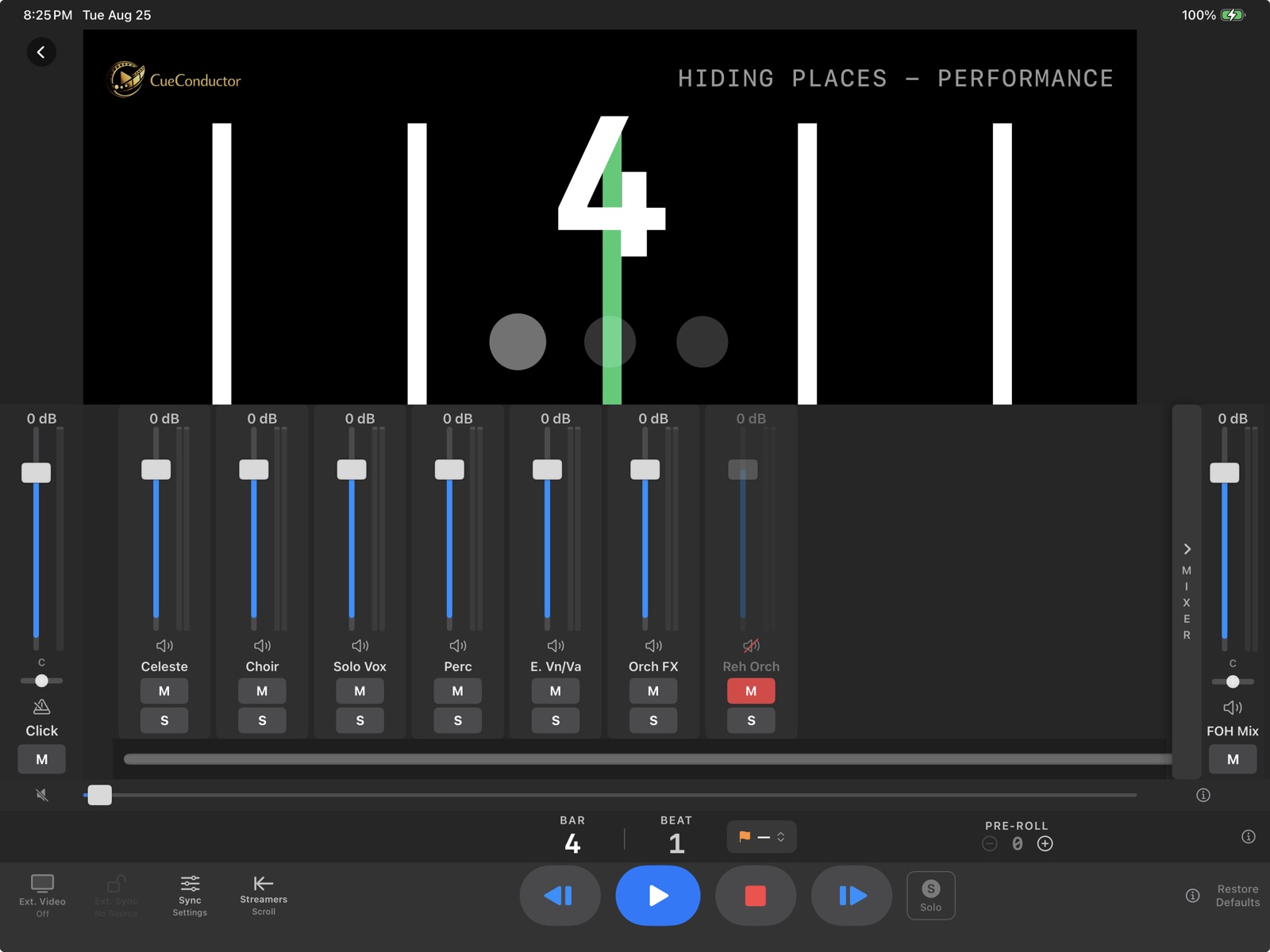
Full mix control in your hand
Faders, solo, and mute for every stem in the package — FOH, rehearsal orchestra, click, and every pre-produced layer. Click and FOH each carry their own pan, folding to mono off-center so a hard side sends the complete mix into one ear. Adjust mid-session without bothering the control room.
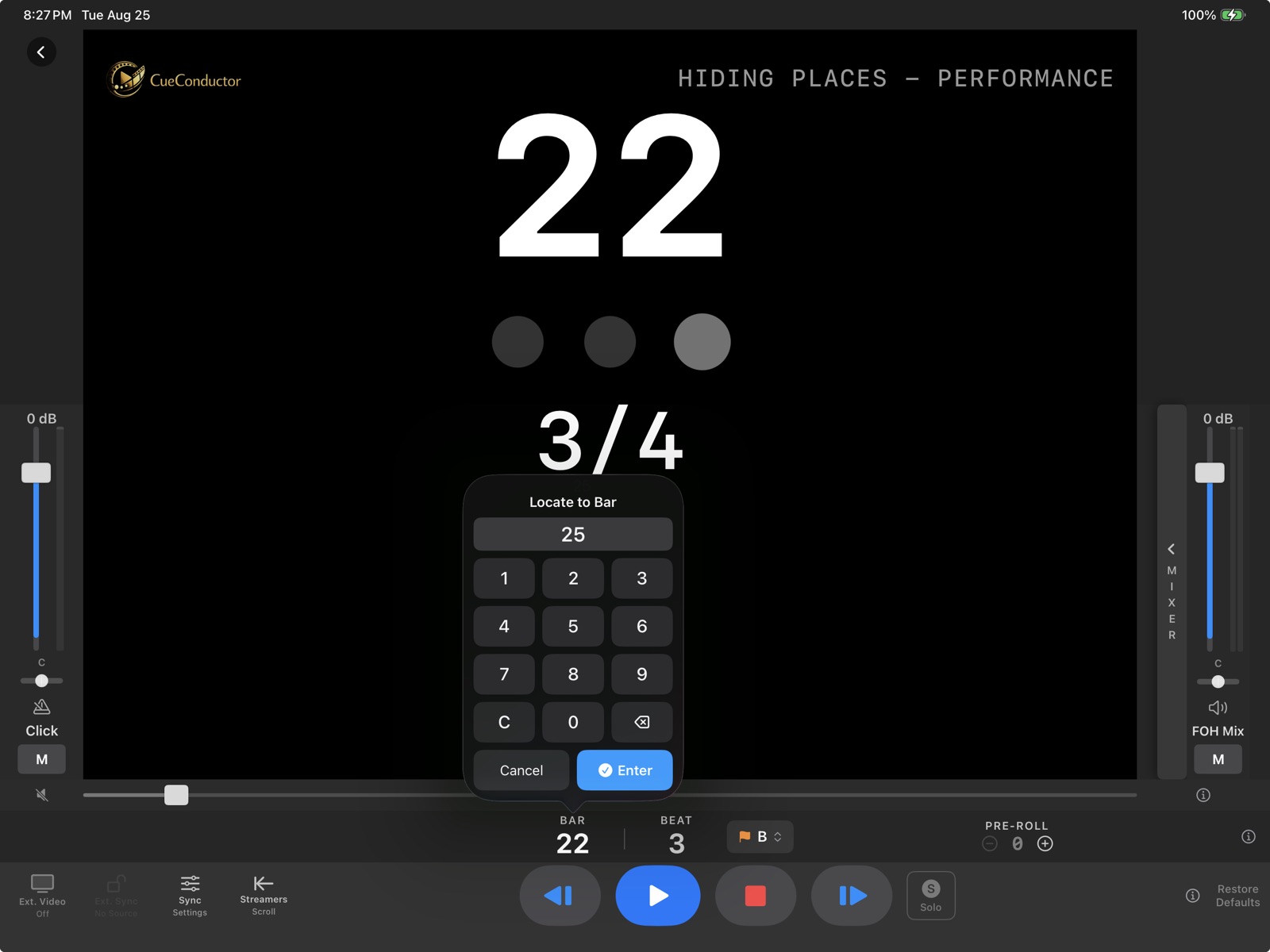
Type a number, go there
When the director calls a bar, type it and jump — with or without playback. No scrubbing, no hunting through a waveform.
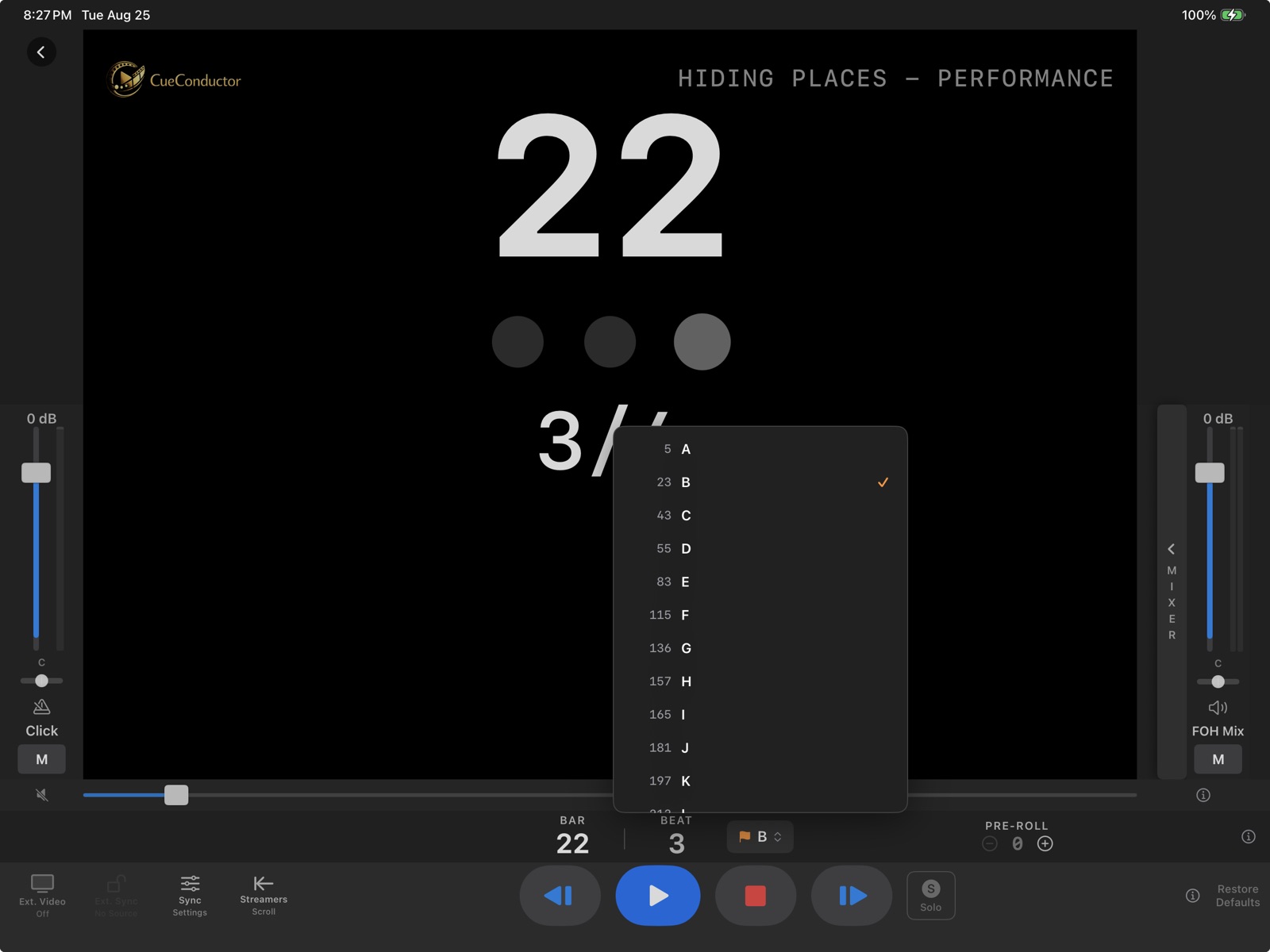
Rehearsal letters, instantly
Every marker in the cue, one tap away. Jump & Pause to set a section up, or Jump & Play to roll straight into it.
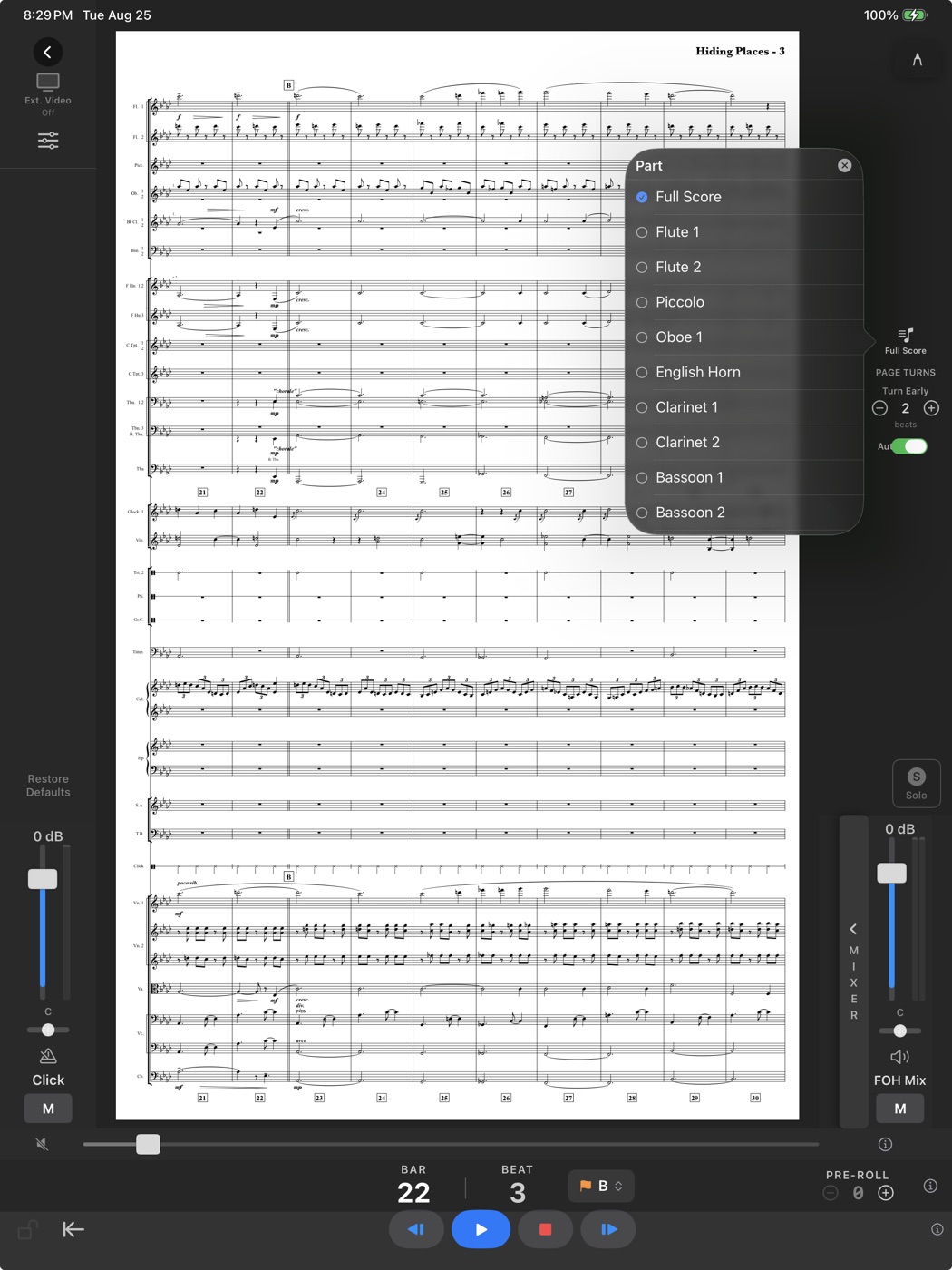
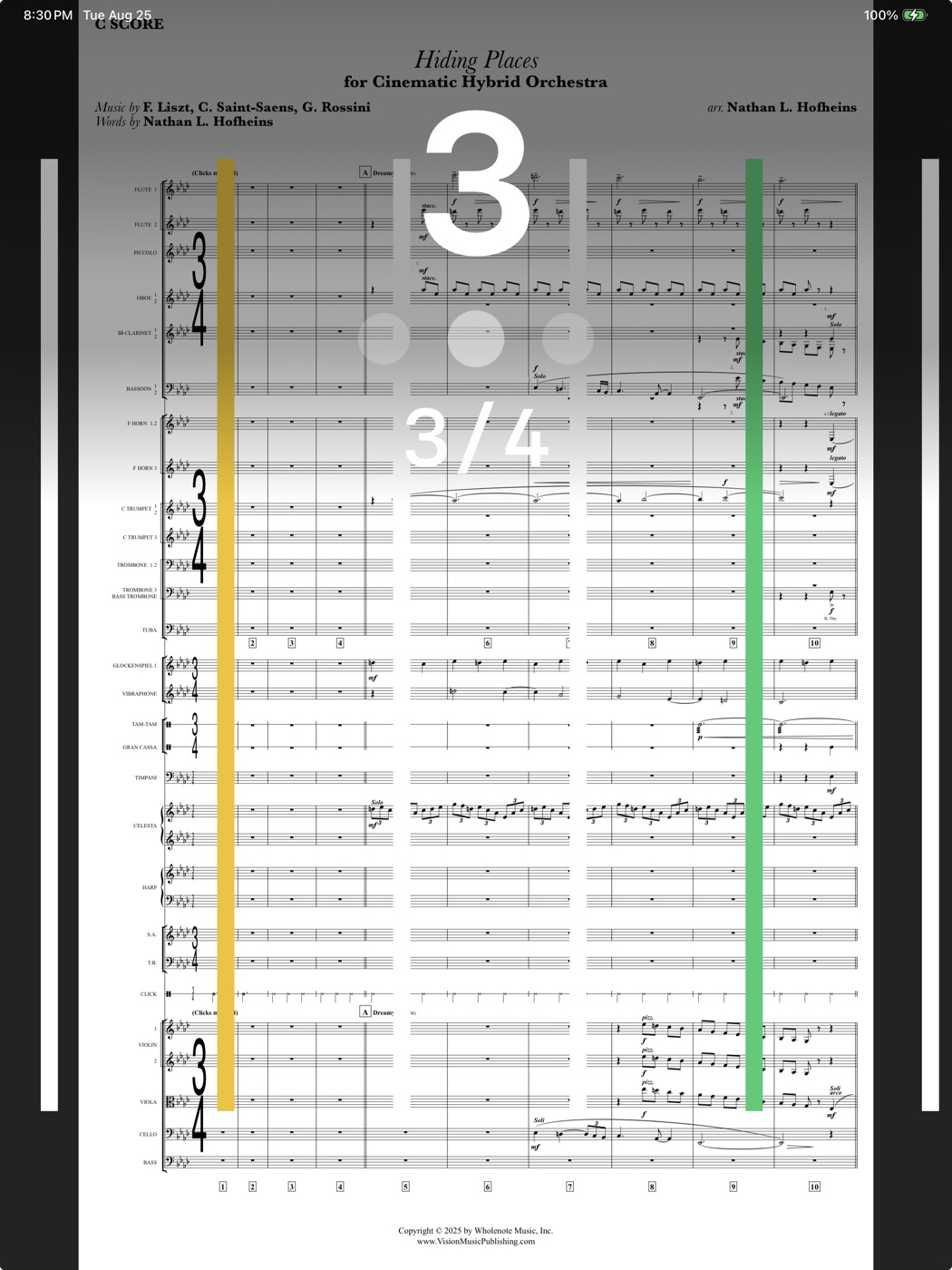
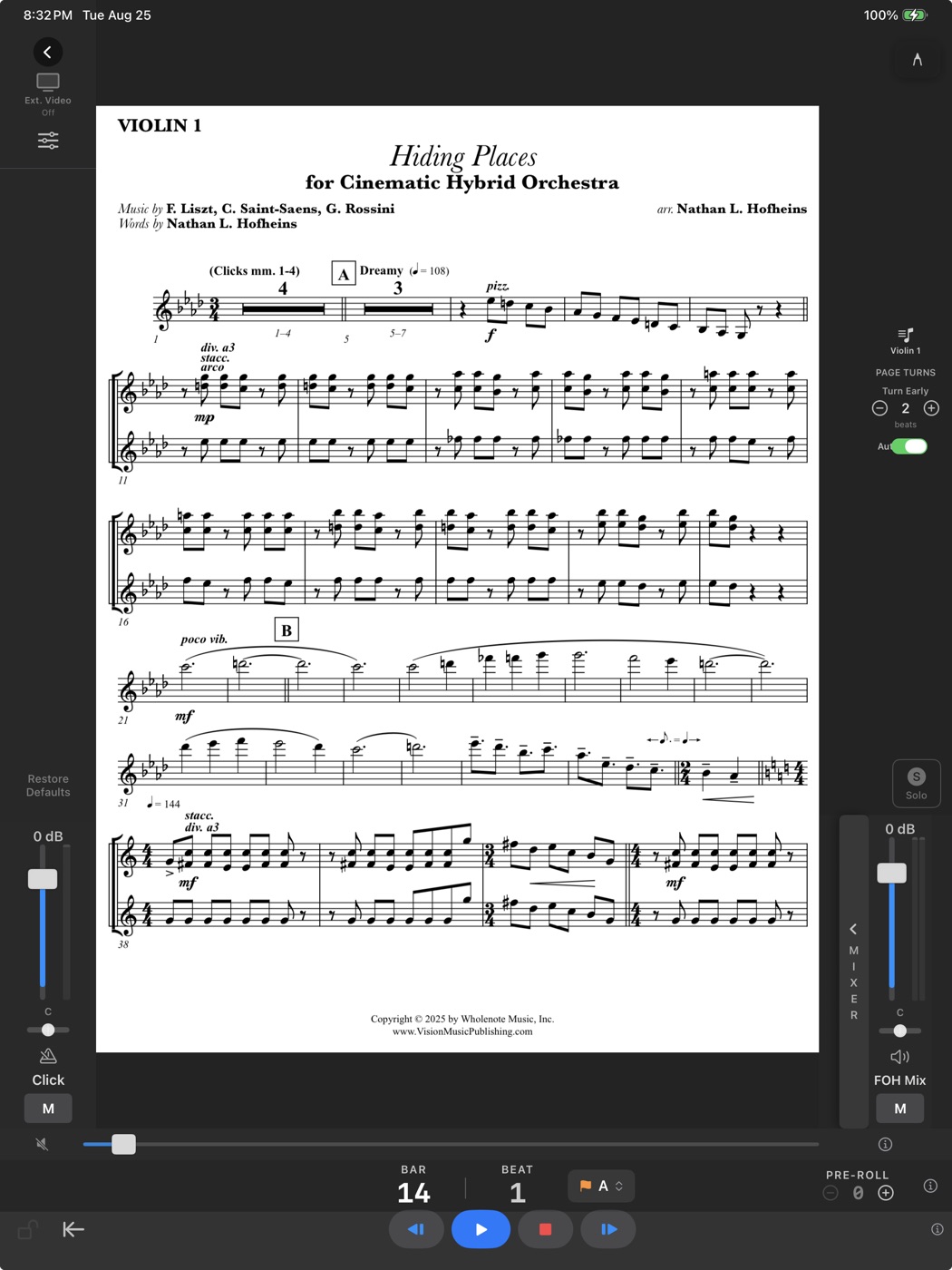
Conduct from the page. Every stand, its own part.
Attach a PDF score — and every instrument part — then turn the iPad upright. The music replaces the video, with the counter, beat dots, and streamers flying over it. Pages turn themselves from the cue's own tempo map, a configurable number of beats early so your eyes are never on a dead page.
Drop the whole stack of part PDFs into CueBuilder™ and they sort into concert order, name themselves, and read their own measure numbers to build the page maps. On the stand, a player picks their part once and every cue follows — annotations kept per part, per device. Mark up the page with Apple Pencil, or turn pages with a Bluetooth pedal.
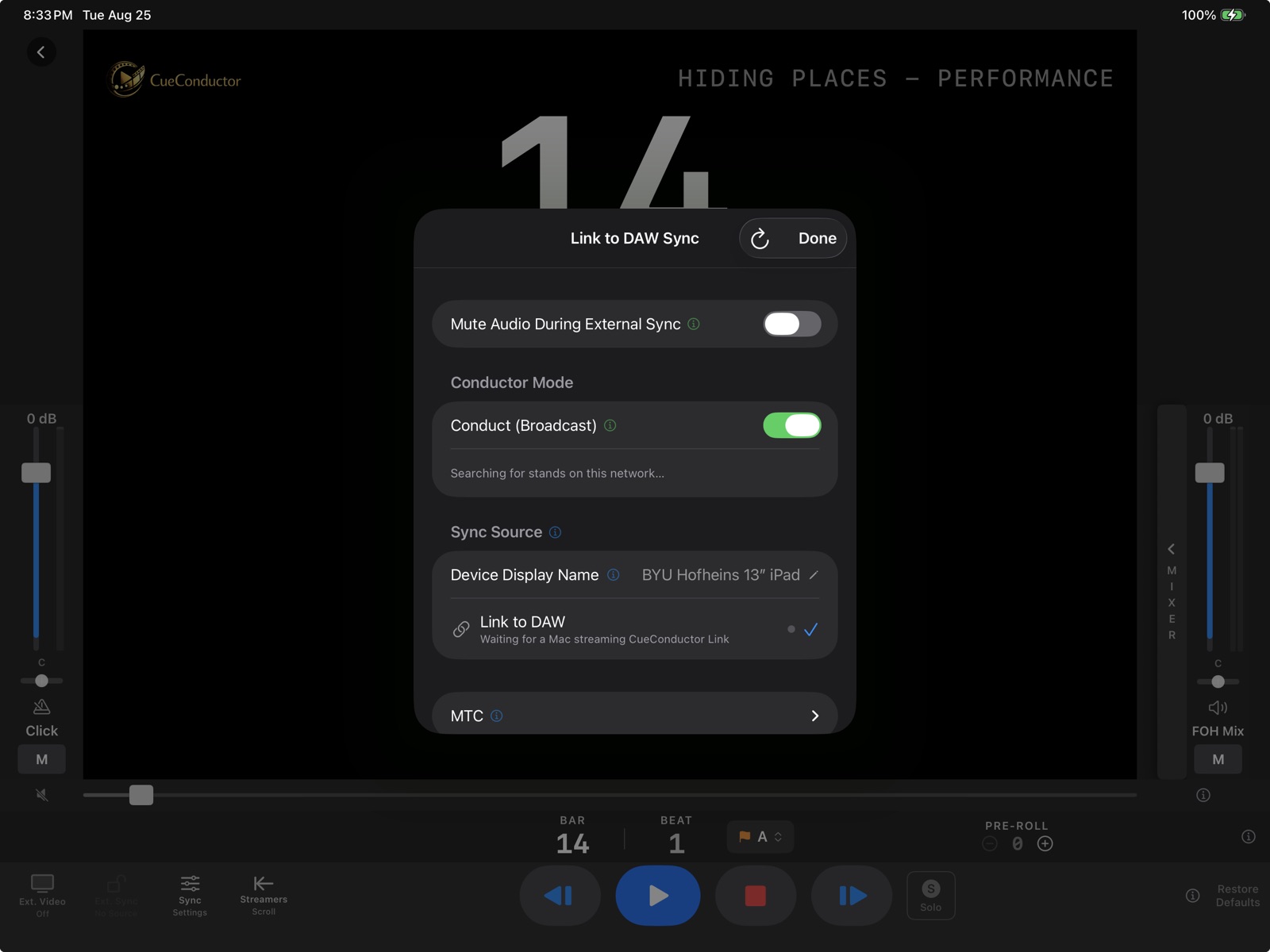
One podium. Every stand.
Switch on Conduct and every CueConductor on the Wi-Fi follows the podium — counter, beat dots, streamers, and page turns, each player reading their own part. No cables, no MIDI, no audio to distribute, no click box per chair.
The same screen also receives: point it at a DAW and the podium follows the session instead. Lead or follow, from one panel.
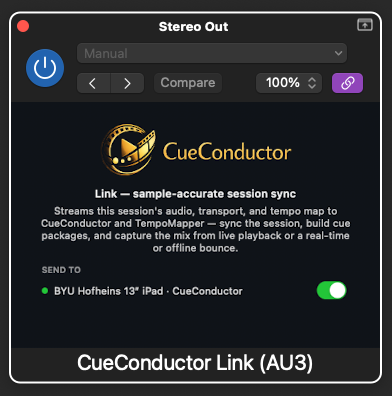
Insert one plug-in
Drop CueConductor Link on your session's main output — AU, VST3, or AAX — and the session streams to the conductor's screen. Sample-accurate, no MIDI setup, no timecode routing. Pick which devices receive it right in the plug-in.
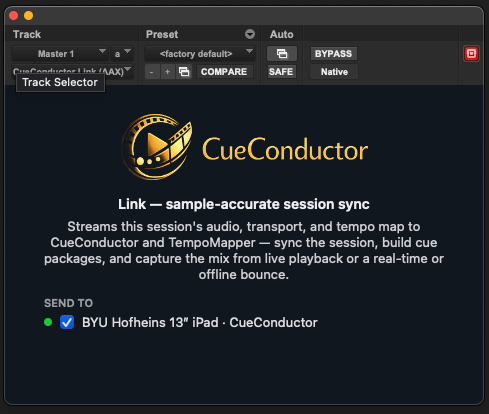
Straight from the session
Shared memory on the Mac; Wi-Fi or a plain USB cable to iPad and iPhone — several devices at once. It tracks even while the transport is parked, and counts the conductor in through the session's own pre-roll.
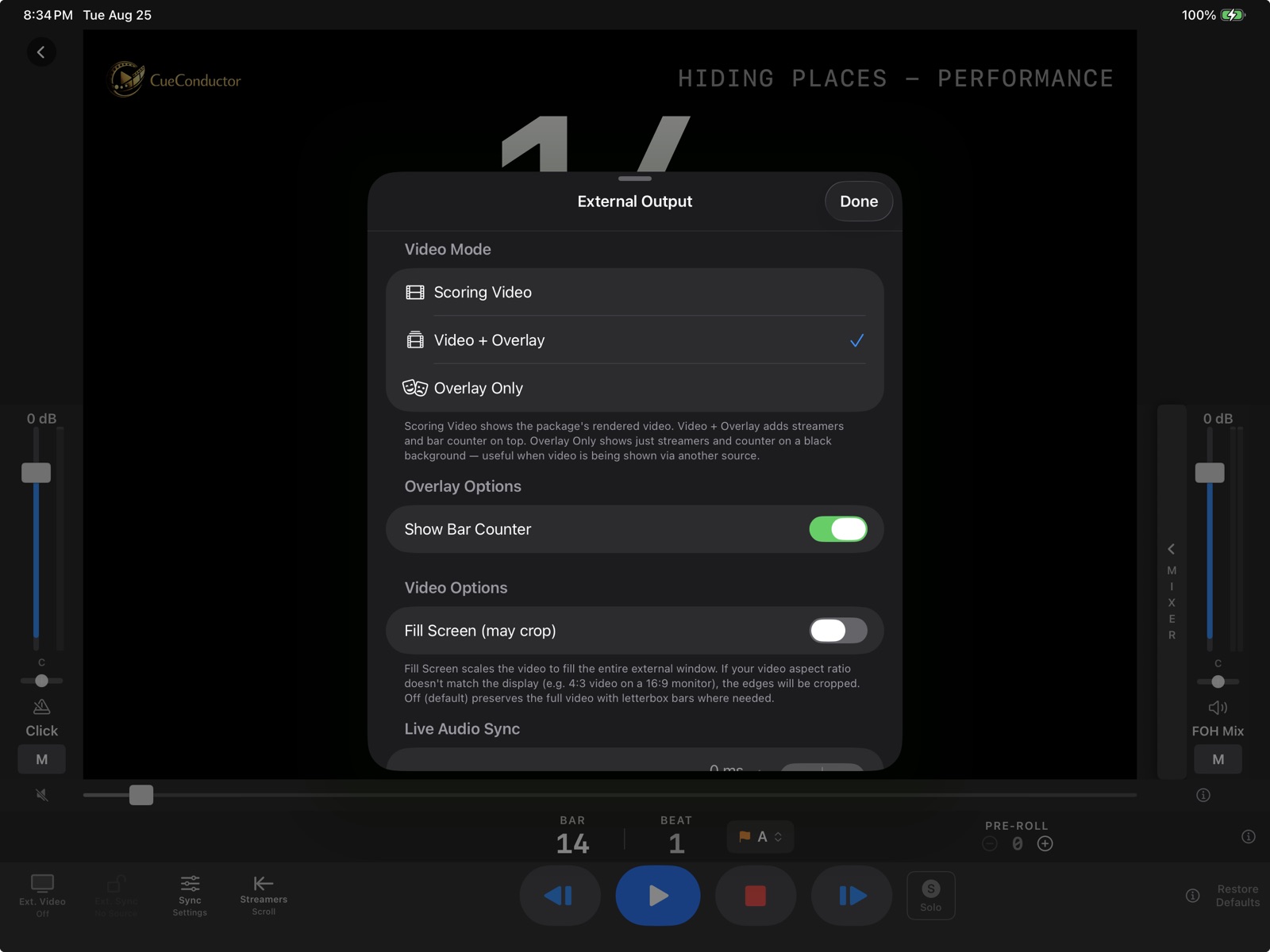
The picture, for the room
Send frame-accurate scoring video to a second display or a projector — the audience sees the film, you keep the overlay. House latency is dialed in from the same screen, so picture and pit stay together.
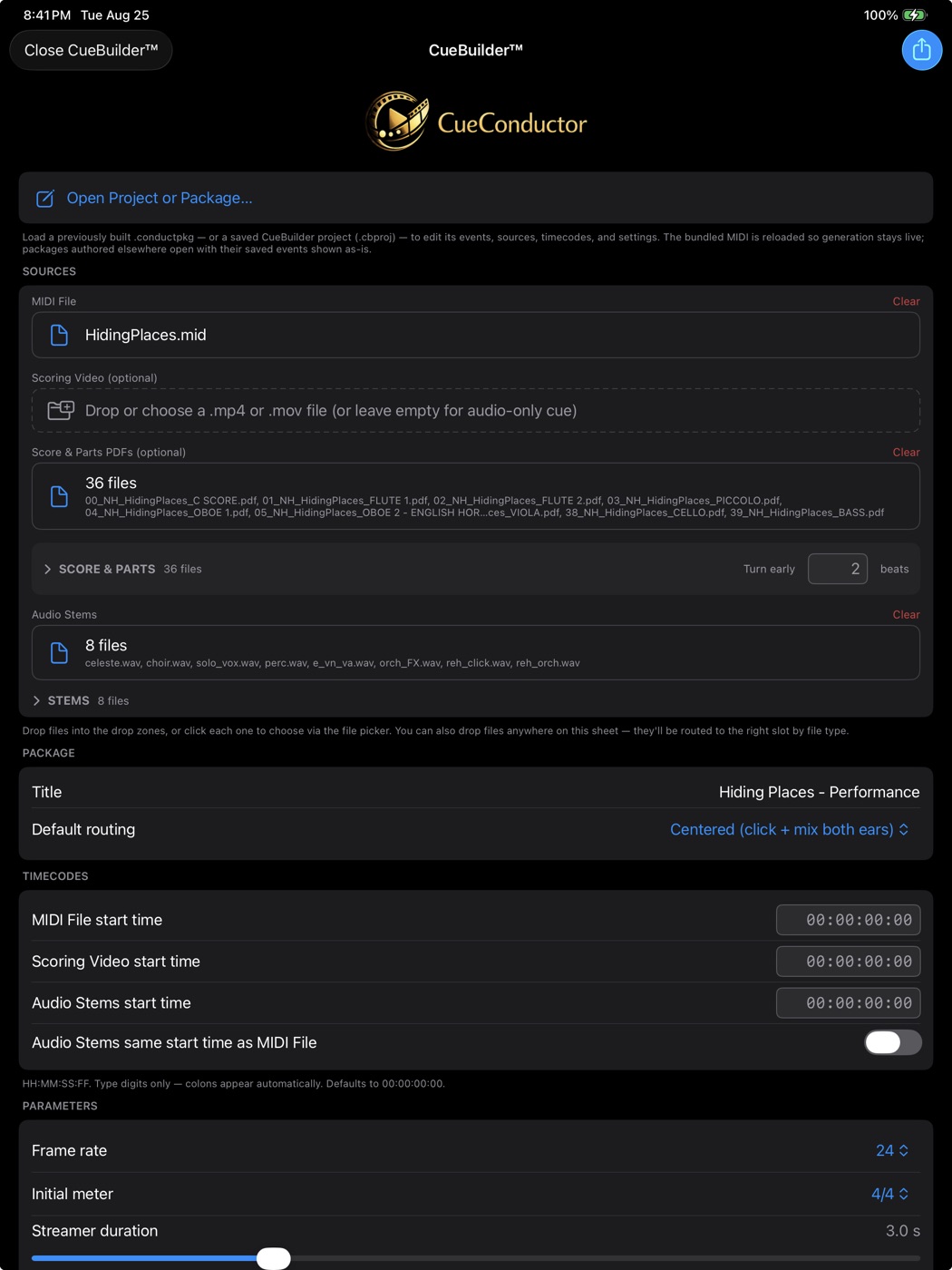
Your session becomes a package
Drop in your MIDI, stems, score and part PDFs, and scoring video — CueBuilder™ turns them into a performance-ready .conductpkg. Save works in progress as projects, compile when it's ready, and share with every stand that needs it.
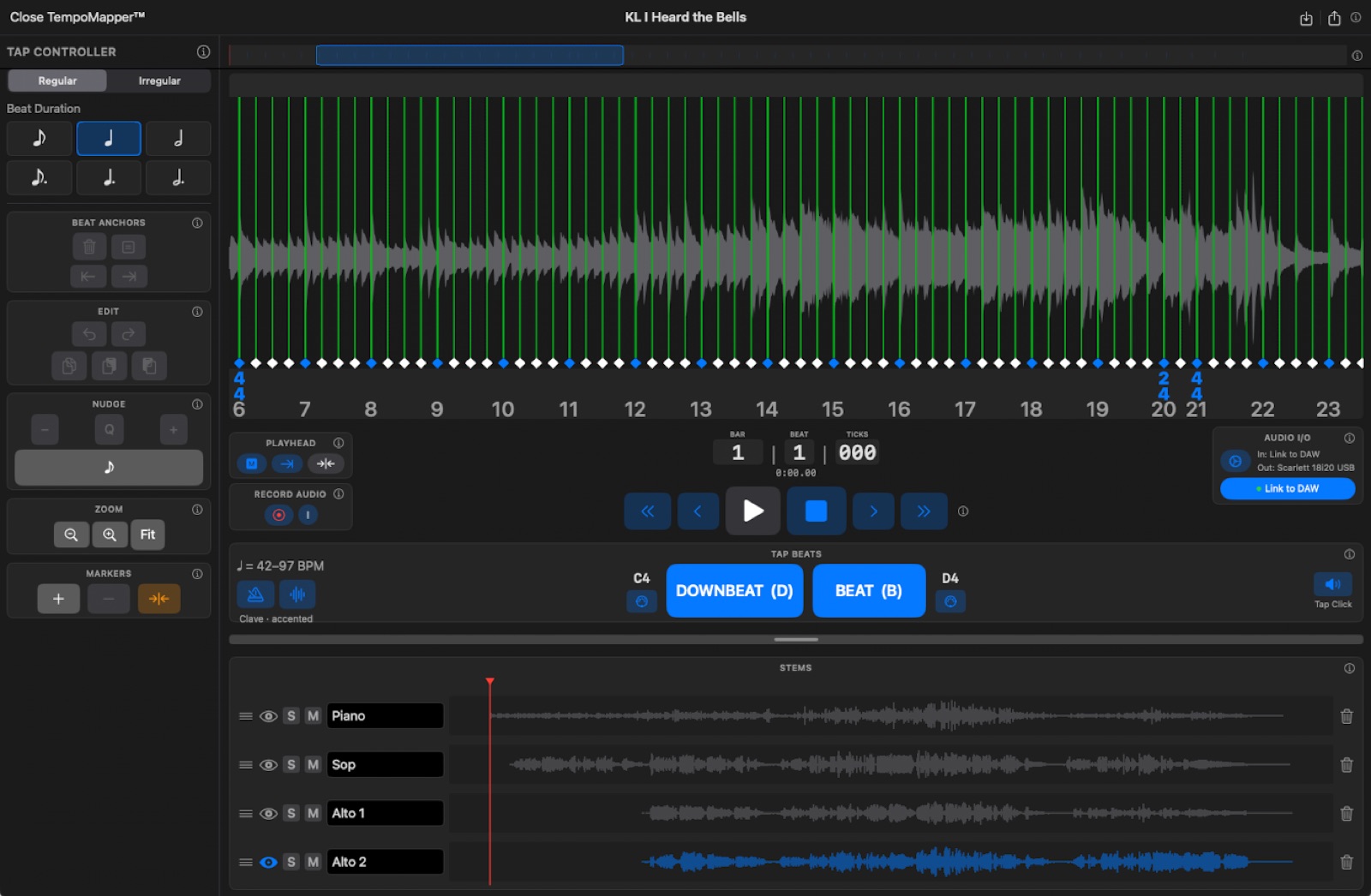
Music that never met a click
Some cues were played wild. TempoMapper™ builds a beat grid against real audio — a live take, a rubato performance, a cue composed without a click. Record or import, tap the tempo as it plays, nudge the anchors onto the transients, and hand a finished cue straight to CueBuilder™. Rubato and all.
One app. Three roles.
Conductor
Lead hybrid orchestra performances and film scoring sessions with full control over stems, click, MIDI cues, and synchronized video — all from the podium.
- Visual streamers & punches
- Jump to rehearsal marker or measure
- Conduct from the PDF score, pages turning themselves
- Broadcast the transport to every stand
- Stem mixer with FOH master
- Audio-only, scoring video, or score modes
Composer/Engineer
Insert one plug-in on your session's main output and the whole session streams to the conductor's screen — sample-accurate, no MIDI setup. Broadcast a counter to the tracking room, and build custom packages from your own MIDI, stems, score, and video.
- Sample-accurate DAW sync from a plug-in — no MIDI setup
- Broadcast musicians' counter
- In-app package builder
- One-step QLab package export
- Conductor-controlled stem mix
Musician
Practice with professional-grade rehearsal tracks synced to the same package the conductor uses on stage — and on the stand, read your own part with page turns that follow the podium.
- Read your own part, page turns following the conductor
- Jump to any measure number
- Jump to any rehearsal letter
- Custom mix control
- iPhone & iPad
See how it works.
How to set up and run CueConductor at the podium — from audio-only click setups to full HDMI scoring video broadcast.
Connecting Audio (USB)
A/V for Rehearsal (HDMI)
Movie in Concert (HDMI)
Studio workflows — syncing with a DAW, broadcasting a counter to the tracking room, and building packages from your own session assets.
Building Packages with CueBuilder™
Syncing iPad to DAW for Conductor
Broadcasting Musicians' Counter to Scoring Stage
Practice with the same stems and click tracks used in the live performance or tracking session — so you're never surprised on stage or in the session.
Rehearsal Tracks
Three ways in.
Browse the catalog
Performance packages from Vision Music Publishing, in folders by series and title, downloaded straight to the device. Sent a link to a title? Tapping it opens that cue right in CueConductor.
Build your own
CueBuilder™ turns your MIDI, stems, score and part PDFs, and scoring video into a .conductpkg — and TempoMapper™ taps a grid for cues that never met a click. Both are built in.
Commission one
Send your score and let it come back finished — stems, click, cue map, parts, and video, assembled and tested.
TempoMapper™ maps it → CueBuilder™ builds it → CueConductor conducts it
TempoMapper™ is included with CueConductor Pro — and also sold on its own.
Explore TempoMapper™Your repertoire. Your performance. Your session.
Need a custom package built from your own score? Contact Nathan Hofheins for commissioning assistance — or book a consultation to walk through the package builder together.
Book a Consultation